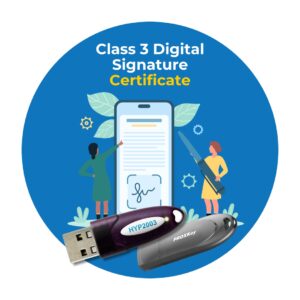
The Ultimate Guide to Class 3 Digital Signature Certificates (DSC)

In the rapidly digitizing world of commerce and governance, the Digital Signature Certificate (DSC) has become the backbone of authentication. With the discontinuation of Class 2 certificates by the Controller of Certifying Authorities (CCA) in 2021, the Class 3 DSC has emerged as the standard, highest-security credential for individuals and organizations.

Whether you are a business owner filing GST, an importer registering on ICEGATE, or a contractor bidding for e-tenders, understanding the Class III DSC is mandatory. This extensive guide covers everything you need to know about class three digital signature certificates in a question-and-answer format.

Part 1: Understanding the Basics of Class 3 DSC

What exactly is a Class 3 DSC?

A Class 3 DSC (Digital Signature Certificate) is the highest level of cryptographic security available for digital signatures in India. It is issued by a Certifying Authority (CA) after a rigorous identity verification process.

Unlike lower classes of certificates that relied on email verification or simple database checks, a Class III DSC requires the applicant to appear (either physically or via video verification) before the innovative authority to prove their identity. It assures the recipient that the document signed is authentic and has not been tampered with. It essentially serves as the digital equivalent of a handwritten signature, but with far greater security and legal validity under the IT Act, 2000.

Why is everyone talking about Class 3 DSC now?

Prior to 2021, Class 2 DSCs were the standard for Income Tax and ROC filings. However, the CCA issued guidelines discontinuing the issuance and renewal of Class 2 certificates effective January 1, 2021. Consequently, all platforms that previously accepted Class 2 now mandate the use of Class 3 DSC. This consolidation means that whether for low-security filings or high-security e-tendering, the class three digital signature is now the universal standard.
How to Get Class 3 Digital Signature Certificate

How to Get Class 3 Digital Signature Certificate

What are the different types of Class 3 DSCs available?

When purchasing a Class 3 DSC, you will generally encounter three variations:

  1. Signing Only: This certificate is used strictly for signing documents (PDFs, XML files) to prove the sender’s identity and ensure data integrity. It is used for GST, Income Tax, and ROC.
  2. Encryption Only: This certificate is used to encrypt data so that only the intended recipient can read it. It does not sign the document. This is largely used in e-tendering processes where bid documents must remain confidential until the opening date.
  3. Combo (Signing + Encryption): This is the most popular and recommended type. It allows you to both sign documents and encrypt files. Most e-tendering portals and Class 3 DSC for ICEGATE uses require a Combo certificate.

Part 2: Pricing and Validity

What is the typical Class 3 DSC price?

The class 3 dsc price is not fixed by the government; rather, it is determined by market competition among Certifying Authorities (like eMudhra, Capricorn, Pantasign, etc.) and their resellers.

Several factors influence the class 3 dsc price:

  • Validity Period: Certificates are usually issued for 1, 2, or 3 years. A 3-year certificate offers better value for money than a 1-year certificate.
  • Type: A “Signing Only” certificate is generally cheaper than a “Combo” certificate.
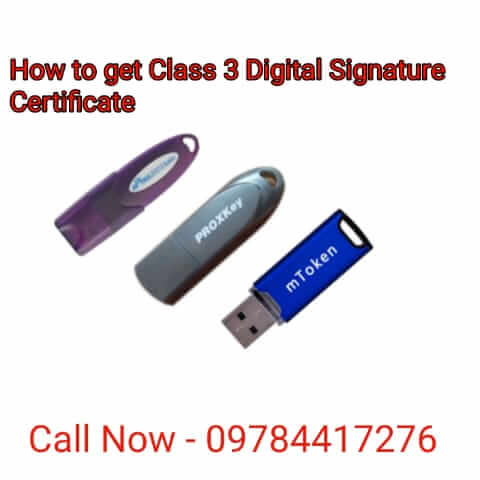
  • USB Token: The DSC must be downloaded onto a FIPS-certified USB cryptographic token. If you already have a token, you only pay for the certificate. If you need a new token, the hardware cost is added.
  • Support: some vendors charge a premium for installation support and video verification assistance.

On average, the class 3 dsc price in India ranges from:

  • 1 Year: ₹1,500 – ₹2,500
  • 2 Years: ₹2,000 – ₹3,500
  • 3 Years: ₹3,000 – ₹4,500
    Note: These are estimated market rates and can vary.

Why is the Class 3 DSC price higher than the old Class 2?

The class 3 dsc price is marginally higher because of the verification overhead. Class III DSC issuance requires a video recording of the applicant, document verification, and stricter compliance protocols for the Certifying Authority. Furthermore, the mandatory specialized USB crypto-tokens (like Hyp2003 or ProxKey) add to the hardware cost, as these certificates cannot be stored on a standard pen drive or computer hard drive for security reasons.


Part 3: Class 3 DSC for ICEGATE

Why do I need a Class 3 DSC for ICEGATE?

ICEGATE (Indian Customs Electronic Gateway) is the portal that provides e-filing services to the trade and cargo carriers and other clients of the Customs Department.

A Class 3 DSC for ICEGATE is mandatory for:

  • Importers and Exporters (IE Code holders).
  • Customs Brokers.
  • Shipping Lines and Airlines.

The Class 3 DSC for ICEGATE serves two purposes:

  1. Authentication: It allows users to log in to the portal securely.
  2. Signing Documents: It is used to digitally sign Bills of Entry, Shipping Bills, and other customs documents. Without a valid DSC, you cannot file these essential trade documents remotely.

How do I register my Class 3 DSC on ICEGATE?

The process to register a Class 3 DSC for ICEGATE is distinct and often requires a specific setup:

  1. Java Configuration: ICEGATE relies heavily on Java. You must ensure your computer has the correct version of Java installed and that the ICEGATE URL is added to the “Exception Site List” in the Java Control Panel.
  2. Login: Go to the ICEGATE website and click on the “New User/Sign Up” or “Login” link.
  3. Utility Download: You may need to download the PKI (Public Key Infrastructure) component from the website.
  4. Signing: When prompted, insert your USB token containing the Class III DSC.
  5. Select Certificate: The system will detect the certificate. Select it and click “Sign.”
  6. Confirmation: Once verified, your DSC will be mapped to your IEC (Import Export Code) or PAN, allowing you to sign future documents.

Does ICEGATE require Signing or Combo DSC?

While a Signing certificate is sufficient for many basic functions, it is highly recommended to purchase a Combo Class 3 DSC for ICEGATE. As the platform evolves, encryption features are becoming more relevant, and having a Combo certificate ensures you are future-proofed against platform updates without needing to buy a new certificate.


Part 4: Application and Usage

How do I apply for a Class Three Digital Signature?

Obtaining a class three digital signature has become completely paperless and digital. The process is as follows:

  1. Select a Vendor: Choose a Certifying Authority (CA) or a registered partner.
  2. Fill the Form: Complete the online application form. You will need to select “Individual” or “Organization” based on your needs.
  3. Upload Documents:
    • For Individuals: PAN Card, Aadhaar Card, Passport-size photo.
    • For Organizations: GST Certificate, Company Pan, Authorized Signatory proof, and the Individual documents of the authorized person.
  4. Video Verification: This is the most crucial step for a Class 3 DSC. You will receive a link to record a short video. You must show your original documents to the camera and read a script statement (e.g., “I am John Doe, applying for a DSC…”).
  5. Payment: Pay the class 3 dsc price.
  6. Download: Once approved (usually within 2 hours), the DSC is downloaded onto your USB token.

What are the primary uses of a Class III DSC beyond ICEGATE?

The Class III DSC is a versatile tool used across various sectors:

  • e-Tendering and e-Procurement: This is the biggest use case. Government tenders (IRCTC, NHAI, CPWD) require high-value transactions. To ensure that bids are not tampered with, a Class 3 DSC (usually Combo) is mandatory for bidding.
  • MCA (Ministry of Corporate Affairs): For filing annual returns, company incorporation, and other ROC compliance forms.
  • Income Tax & GST: For verifying ITR returns and GST filings without sending physical hard copies to Bangalore.
  • EPFO: Employers use it to sign transfer claims and manage employee provident fund data.
  • Trademark & Patent Filing: Intellectual Property offices require high-security digital signing for applications.

Can I use the same Class 3 DSC for multiple platforms?

Yes. A single Class 3 DSC issued in your name can be used across multiple platforms. You can use the same token to sign a GST return in the morning, bid for a government tender in the afternoon, and file a Bill of Entry using Class 3 DSC for ICEGATE in the evening. The certificate validates your identity, not the platform.

However, note that if you are applying as an “Organization” (e.g., John Doe on behalf of XYZ Pvt Ltd), that DSC is tied to that specific company. If you are a director in two different companies, you may need separate DSCs for official filings for each company, or use an “Individual” DSC where permitted.


Part 5: Technical and Security Aspects

What is the role of the USB Token?

You cannot store a Class 3 DSC on your computer. It must be stored on a FIPS 140-2 Level 2 certified USB Cryptographic Token (like ProxKey, TrustKey, or ePass2003).

  • Security: The private key is generated and stored inside the token and can never be exported. If you lose the token, you lose the digital signature; it cannot be copied to a backup drive.
  • Password: The token is protected by a PIN. Even if someone steals your physical token, they cannot use it without the PIN.

What happens if I lose my token?

If you lose the USB token containing your class three digital signature, you must revoke the certificate immediately by contacting the Certifying Authority. Unfortunately, you cannot “recover” the old certificate. You must pay the class 3 dsc price again to apply for a fresh certificate and a new USB token.

How do I check the validity of my Class III DSC?

To check the validity:

  1. Plug the USB token into your computer.
  2. Open the Token Driver software (usually found in the system tray).
  3. Click on “Login” and enter your PIN.
  4. View the certificate details. It will display the “Valid From” and “Valid To” dates.
  5. Ensure you renew it before the expiry date to avoid business interruptions, especially if you are using the Class 3 DSC for ICEGATE for urgent shipments.

Part 6: Renewal and Troubleshooting

Can I renew an expired Class 3 DSC?

Technically, “renewal” is a misnomer. Since 2021, the process for “renewal” is the same as buying a new one. You must undergo the video verification and document submission process again. This is to ensure that the person holding the certificate is still the same person and their status hasn’t changed. However, you can use the same USB token hardware (if it is the latest version) and download the new certificate onto it, which might save you a few hundred rupees on the total class 3 dsc price.

Common Troubleshooting: “DSC Not Detected”

This is a frequent issue, especially when using Class 3 DSC for ICEGATE.

  • Solution 1: Reinstall the USB Token drivers.
  • Solution 2: Check your Java version. Government portals are notoriously specific about Java updates.
  • Solution 3: Ensure the “EMS Signer” or “Web Signer” service is running on your computer (these are background bridges that help the browser talk to the USB token).

Is Class 3 DSC compatible with Mac?

Most government portals (including ICEGATE and MCA) use signing utilities that are predominantly designed for Windows. While the Class III DSC itself is technically compatible with Mac, the drivers and the government portal bridges often fail on macOS. It is highly recommended to use a Windows PC for any activity requiring a class three digital signature to avoid technical headaches.